
Begin with seated people rather than an empty canvas
Ask for the proposed seating arrangement and discuss likely camera views before approving artwork. Panelists create a changing foreground: they lean forward, turn toward colleagues and raise their hands. A logo placed neatly above an empty chair may appear directly behind someone's head once the conversation starts.
In a hypothetical Phoenix leadership panel, a wide title graphic might work in the room but disappear in a close-up of the moderator. Treat that as a framing decision, not a reason to repeat the title everywhere. The backdrop does not need to deliver every message in every shot.
Keep essential text away from areas likely to be obscured by seated participants. The production team can help identify usable regions from the planned composition, while final placement should be checked with people in position.
Use restraint to preserve the presenter silhouette
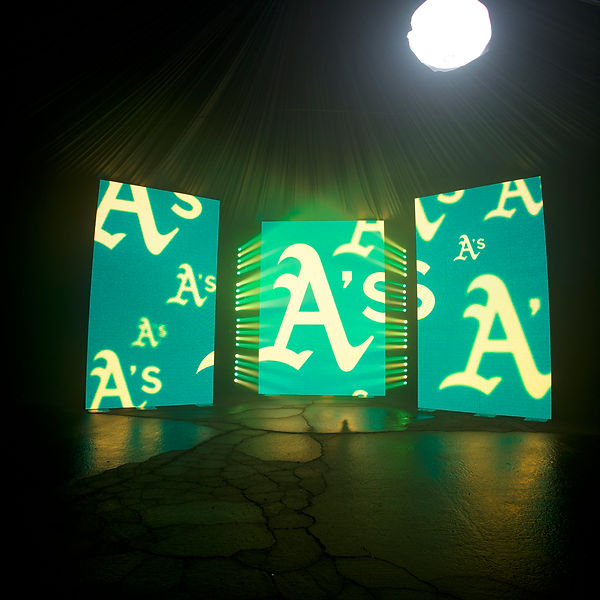
Large bright patches, sharp decorative lines and busy patterns can compete with faces or appear to cut through a person's outline. Start with a simple field and limited visual hierarchy. A restrained background gives the lighting and camera teams more room to separate the panelists from the display.
Avoid assuming that maximum LED brightness produces the best image. The appropriate balance depends on stage lighting, display content and camera settings. Qualified production professionals should evaluate those elements together rather than treating the wall as an isolated design object.
Motion also changes the viewing experience. A subtle loop on a designer's monitor may become noticeable behind a still speaker. For substantive discussion, a static background is often the clearer starting point. Any motion should have a defined purpose and be reviewed in context.
Let room graphics and broadcast identification do different work
A backdrop can establish the session identity without serving as a permanent directory of panelist names. Long names and titles may be blocked by chairs, too small for distant seats or awkwardly cropped on camera. Consider whether introductions, presentation graphics or hybrid-production name overlays are better suited to that information.
For a hybrid panel, discuss the relationship between the physical backdrop and on-screen overlays. If both carry large names or logos, the remote composition can feel crowded. Review a sample camera frame with the intended overlay included, not just the backdrop artwork by itself.
Approve the background through representative camera views
Rehearse a wide view, individual close-ups and a shot of two adjacent speakers. Fine repeating patterns can create camera artifacts, and colors may appear different through the production chain. These are reasons to test actual playback and capture conditions, not to promise a universal design formula.
Give one person authority to approve visual adjustments during rehearsal. That person should know which brand elements are mandatory and which can move, shrink or disappear. Exact LED, lighting and hybrid-production configurations need a quote and confirmation with the venue.
- Review artwork with panelists seated in their planned positions.
- Check wide shots and close-ups for awkward text placement.
- Evaluate faces, silhouettes and background brightness together.
- Approve a simpler static version if motion or detail distracts.
Put the plan into practice
A successful panel backdrop supports the conversation without demanding attention. Approve it through seated sightlines and camera compositions, with enough design flexibility to keep the speakers visually distinct.
LED video wall rental and production